Reger Laser

Laser Cutting

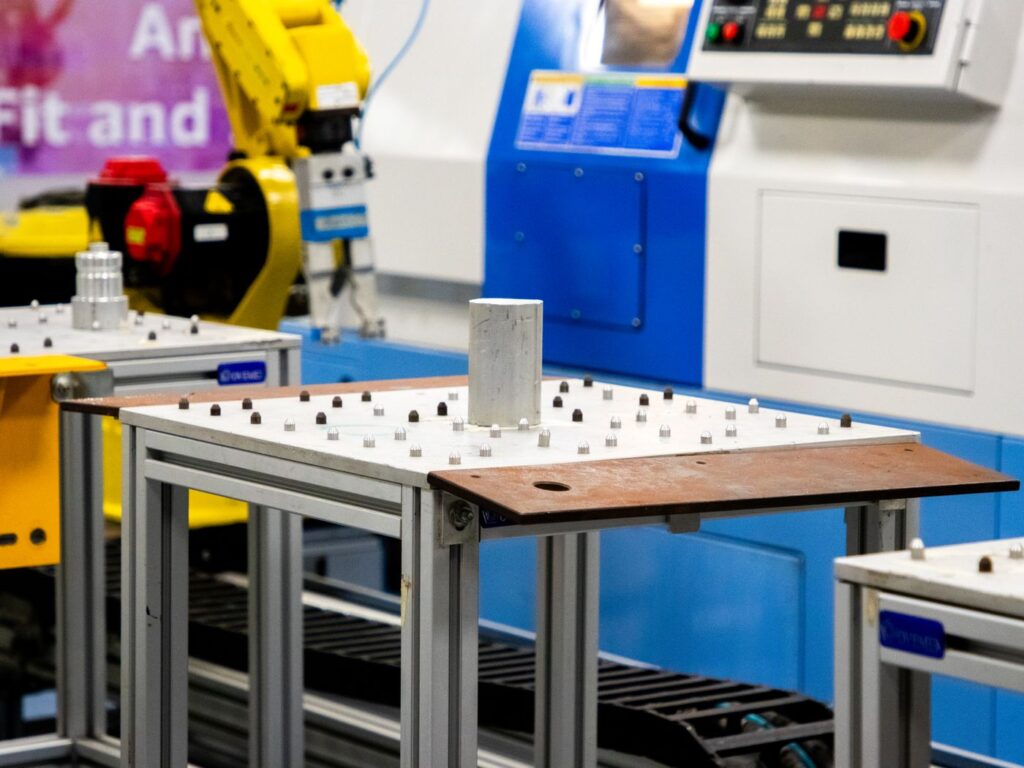
Robotic arm working alongside industrial machinery, one form of automation shops add to a laser cutting cell
Buying & Ownership, Laser Cutting

Should a Small Shop Automate Its Laser Cutting? 6 Questions to Answer First

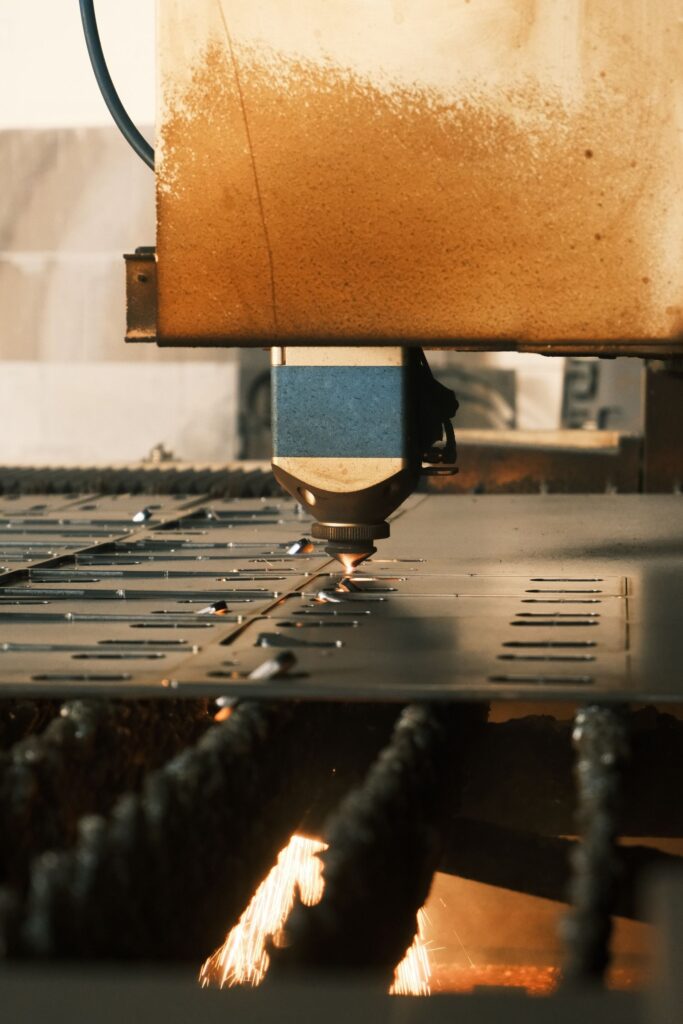
A small shop should automate laser cutting when the laser is sitting idle while people load sheets, pull parts, and sort skeletons, and when there is enough steady work to keep an automated cell busy. If the beam is off more than it is on during a shift because the operator is handling material, automation usually pays off in capacity. If the machine is already cutting most of the shift and the real bottleneck is bending, welding, or programming, automating the laser just moves parts faster to a pile that is already waiting. The decision is less about the technology and more about where time is actually lost in your shop. This guide walks through six questions that sort that out, the common types of laser automation, and what to plan for so an automated cell runs the way you expected it to. Table of Contents What It Means to Automate Laser Cutting Question 1: Where Is the Time Going? Question 2: Is There Enough Steady Work? Question 3: How Do You Schedule? Question 4: Do You Have the Space? Question 5: Who Will Run and Maintain It? Question 6: Is the Laser Itself Ready? Frequently Asked Questions What It Means to Automate Laser Cutting Reger Laser sells and supports laser cutting machines and the automation around them, and when shops ask us about automation they usually mean one of a few things. Most cells combine several of these. Load and unload systems that move raw sheets onto the shuttle table and pull cut sheets off. Material storage towers that hold multiple materials and thicknesses and feed the laser from a queue. Part sorting that picks finished parts out of the skeleton and stacks them, like our PMG parts picker. Software for nesting, scheduling, and tracking jobs through the cell. The right mix depends on the answers to the questions below. Our laser cutting automation page covers the systems we offer. Question 1: Where Is the Time Going? Start by measuring, not guessing. For a week or two, track how much of each shift the laser is actually cutting and how much it is waiting. Most controls log beam-on time or cycle time, and a simple sheet at the machine can capture the rest: waiting for material, loading, unloading, sorting parts, clearing a jam, changing nozzles. If loading, unloading, and sorting eat a large share of the shift, automation targets exactly that time. If the laser is mostly cutting and parts pile up downstream, your money is better spent downstream. Our post on fiber laser downtime covers how to find and fix the other sources of lost time, because some of them can be solved without any automation at all. Question 2: Is There Enough Steady Work? Automation earns its keep on volume. A cell that sits idle half the week because the work is not there is an expensive way to store sheet metal. Look at your backlog and your quoting pipeline, not just a busy month. Shops with steady repeat work, recurring customers, or their own product lines tend to get the most from it. Job size matters too. Automation handles long runs of the same material effortlessly. It also handles high-mix work well if the software and storage are set up for it, but that setup takes more planning. A useful exercise is to look back over the last year and ask how many weeks the laser would have been fully loaded with an automated cell in place. If the answer is most of them, the case for automation is strong. If the work comes in bursts with long quiet stretches between, it may make more sense to add a shift or improve nesting and scheduling first, and revisit automation once the workload is steadier. The goal is a cell that stays busy, not one that looks impressive on the floor. Question 3: How Do You Schedule? One of the biggest gains from automation is the ability to keep cutting when nobody is standing at the machine: through breaks, shift changes, and in some shops, unattended overnight. That only works if the shop plans for it. Somebody has to program and nest enough work to fill those hours, stage the material, and trust the machine to run. Nesting quality gets more important when the cell is feeding itself. Our laser cutting nesting post covers how to get more parts out of every sheet, which matters twice as much when those sheets are coming out of a tower without a person checking them. Question 4: Do You Have the Space? Automation takes floor space, and not just for the equipment itself. You need room for forklifts or cranes to load raw material, room for finished parts and skeletons to leave the cell, and room for technicians to reach every side for service. Some storage systems also need ceiling height. Sketch the whole material flow, from the dock to the next operation, before choosing a system. A cell that fits on paper but blocks the path to the press brakes creates a new bottleneck. Question 5: Who Will Run and Maintain It? Automation changes jobs rather than removing them. Someone still programs the work, stages material, handles exceptions, and keeps the equipment maintained. Suction cups, sensors, and grippers are wear items, and an automated cell adds moving parts that need a place on the maintenance schedule. Guarding also changes, because moving loaders and pickers create new hazards around the machine. OSHA’s machine guarding guidance applies to the whole cell, not just the laser. If your team is stretched, plan for training before the equipment arrives. Small manufacturers can also get outside help planning the change. The NIST Manufacturing Extension Partnership has centers in every state that work with small and mid-sized shops on process and productivity improvements. Question 6: Is the Laser Itself Ready? Automation multiplies whatever the laser already does. A machine with inconsistent cut quality, frequent pierce failures, or tip-ups will produce those problems faster and
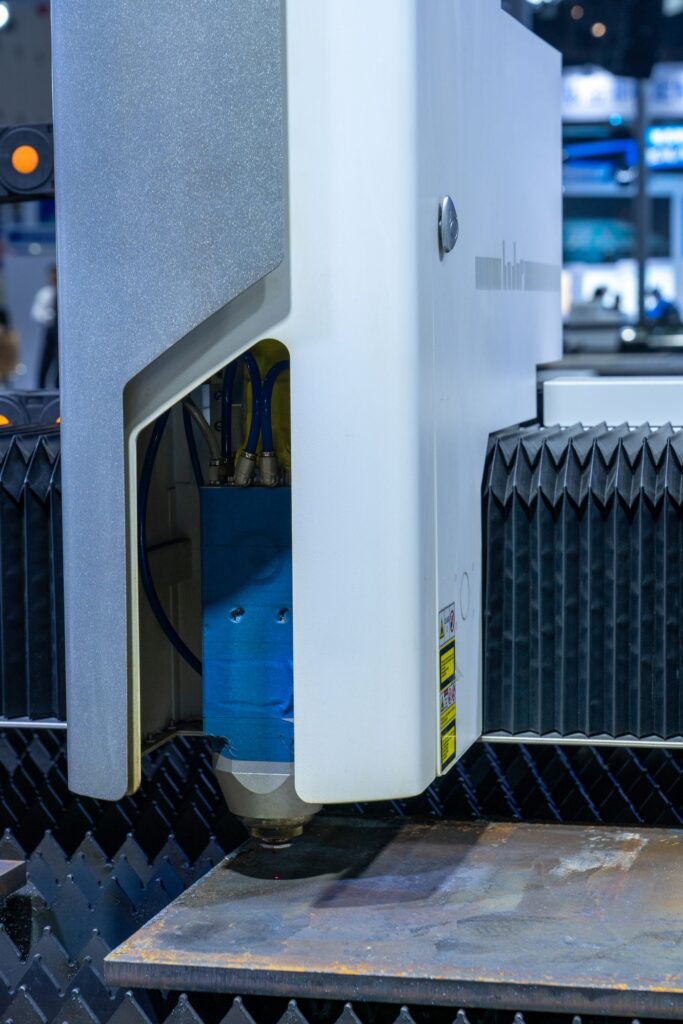
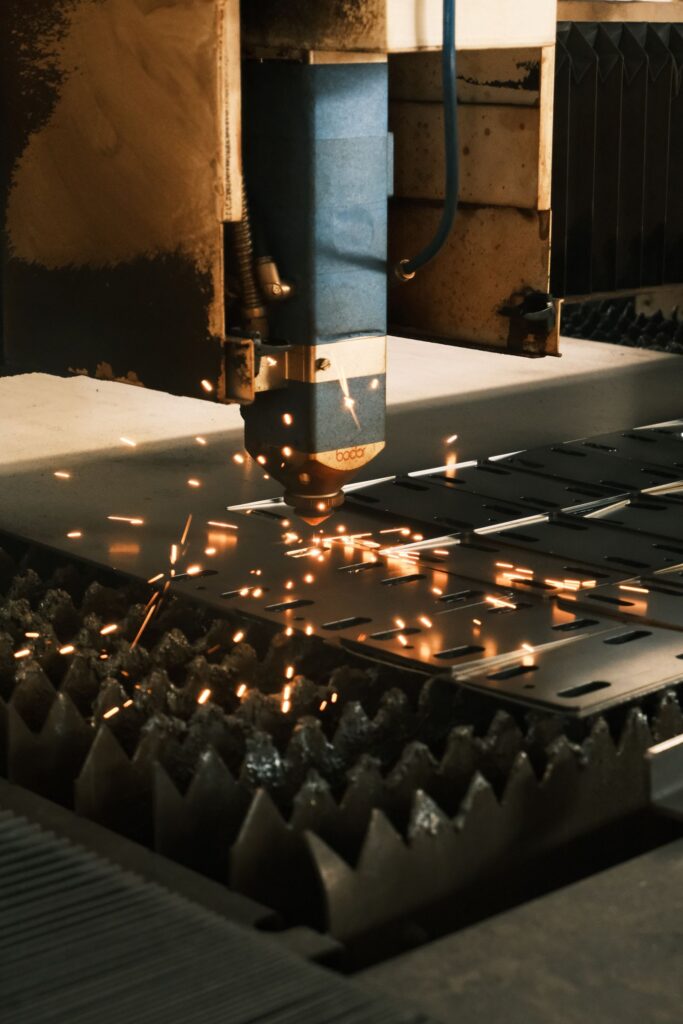
Industrial laser cutting machine in operation, where a weak resonator shows up first as slower cutting and inconsistent edges
Laser Cutting, Maintenance & Service

What Are the Signs a CO2 Laser Resonator Needs Repair?

A CO2 laser resonator usually needs service when the machine starts losing power it used to have: cuts that need slower speeds or higher power settings to get through the same material, output that drifts during a shift, alarms tied to vacuum, gas, or discharge, or a blower that sounds different than it did last month. Those symptoms rarely fix themselves. The resonator is the heart of a CO2 cutting machine, and most of what goes wrong inside it, from worn blower bearings to hardened O-rings to contaminated internal mirrors, gets worse with every hour it runs. The good news is that most resonator problems are repairable, and catching them early keeps a routine overhaul from turning into a major rebuild. This guide covers how a CO2 resonator works, the warning signs to watch, what typically fails, and how to decide between repairing the resonator and replacing the machine. Table of Contents How a CO2 Laser Resonator Works Warning Signs a Resonator Needs Service What Usually Fails Inside a CO2 Resonator Checks to Make Before Calling Service Repair the Resonator or Replace the Machine? Keeping a Resonator Healthy Frequently Asked Questions How a CO2 Laser Resonator Works Reger Laser services CO2 and fiber cutting machines from Tanaka, Mitsubishi, Trumpf, Bystronic, Amada, and other manufacturers, and a large share of our CO2 work happens inside the resonator. Knowing the basics of how it works makes the warning signs much easier to read. A CO2 resonator creates the beam by running an electrical discharge through a laser gas mixture made mostly of helium and nitrogen, with a smaller share of carbon dioxide. A blower, either a turbo blower or a roots blower depending on the design, circulates that gas through the discharge area and through heat exchangers that pull the heat back out. Mirrors at each end, including the rear mirror and the output coupler, bounce the light back and forth until it leaves as a usable beam. A vacuum pump holds the gas at the right pressure, and fresh gas is fed in as the machine uses it. Every one of those parts has to be working for the resonator to produce stable, full power. When one of them starts to wear, the machine often compensates for a while. Then it stops compensating, and the problem shows up on the parts. Warning Signs a Resonator Needs Service Lost cutting power. Settings that cut a thickness cleanly last year now need slower speeds or more power. Drifting output. Edge quality changes from part to part or from morning to afternoon without any change to the program. More alarms. Vacuum, gas pressure, discharge, or blower alarms that used to be rare are becoming routine. Slow startup. The resonator takes longer to pump down and reach a ready state. New noise or heat. The turbo or roots blower sounds, vibrates, or runs hotter than it used to. Higher gas use. Laser gas bottles are running out sooner, which often points to a leak. Changed beam mode. A mode burn looks different, or cut quality problems survive a new lens and nozzle. Any one of these is a reason to look closer. Two or more together usually means the resonator is overdue for attention. Before blaming the resonator, though, rule out the simple causes first. A dirty lens, a damaged nozzle, or bad assist gas can look a lot like a weak resonator, and many of the checks in our cut quality troubleshooting post apply to CO2 machines as well. What Usually Fails Inside a CO2 Resonator Turbo and roots blowers The blower runs at high speed for every hour the resonator is on, so its bearings are a wear item. Worn bearings show up as noise, vibration, and heat, and a blower that is run to failure can damage other components on its way out. A scheduled blower overhaul replaces the wear parts before that happens. Discharge tubes and O-rings O-rings seal the gas path, and heat and age harden them until they crack. A leaking seal lets air into the laser gas, which destabilizes the discharge, raises gas consumption, and cuts power. Discharge tubes also collect deposits over time. Replacing O-rings and servicing the tubes is one of the most common resonator jobs we do. Internal optics The rear mirror, output coupler, and folding mirrors inside the resonator slowly collect contamination. Dirty internal optics absorb energy, lower output, and distort the beam mode. An internal cleaning restores them when the damage has not gone too far. Vacuum pump and power supply A tired vacuum pump shows up as slow pump-down and pressure alarms. Power supply faults show up as unstable discharge or alarms that point to the electrical side. Both are repairable, and both are easier to diagnose when the shop has kept notes on when the symptoms started. Checks to Make Before Calling Service Some groundwork on your side makes a service visit faster and the diagnosis more accurate. None of it involves opening the resonator. A CO2 resonator carries high voltage, and its beam is invisible infrared light that can injure eyes and skin. OSHA’s laser hazards overview and the OSHA Technical Manual chapter on laser hazards explain why internal resonator work belongs to trained technicians. Clean or replace the external optics and nozzle, and confirm focus, so they are ruled out. Check the assist gas and laser gas supply for correct pressure and purity. Confirm the chiller is holding its set temperature. Our chiller overheating post covers the common causes. Pull the alarm history and write down when each symptom first appeared. Note how long the resonator takes to reach ready, and how quickly laser gas is being used. Should You Repair the CO2 Laser Resonator or Replace the Machine? This is the question behind most resonator calls, and the answer depends on more than the resonator. Look at what actually failed and whether parts are available for it. Look at the rest of the machine: the motion system,

Laser Cutting, Training & Safety

Essential Safety Tips for Operating Laser Cutting Machines

Laser cutters unleash an invisible beam powerful enough to slice through metal—yet that precision comes with hazards. A single misstep can cause severe injury, fires, or toxic fume exposure. Whether you’re scaling up to a multi‑shift operation or teaching a friend to use your desktop cutter, embedding safety into your workflow is non‑negotiable. Here’s how to build a culture of safety around your laser cutter. 1. Personal Protective Equipment (PPE) Essentials 2. Ventilation & Air Quality Appropriate fume extraction not only protects health but also prevents lens contamination. 3. Fire Prevention & Response Materials like wood or leather can smolder unexpectedly. Quick Tip: Label emergency stop buttons with glow‑in‑the‑dark tape for visibility. 4. Machine Inspection & Maintenance Regular checks uncover issues before they escalate. 5. Training & Standard Operating Procedures Building a Safety‑First CultureSafety isn’t a one‑and‑done. Host quarterly safety huddles, share lessons from incidents (yours or the industry’s), and reward employees who flag hazards. An empowered team is a safer team. Conclusion & ResourcesDownload our Laser Safety SOP Template to establish clear guidelines in your shop. Have questions? Reach out for a customized safety audit and keep your operation accident‑free.

Buying & Ownership, Laser Cutting, Training & Safety

An In-Depth Guide to Operating and Understanding Tanaka Laser Cutters

The Ultimate Guide to Tanaka Laser Cutters: Precision Meets Performance Tanaka laser cutters have become a household name in the world of precision cutting, renowned for their reliability, accuracy, and innovation. Whether you’re in manufacturing, engineering, or crafting, Tanaka laser cutters provide a seamless solution to meet your cutting needs. In this blog, we’ll explore the features, benefits, and applications of Tanaka laser cutters, helping you make an informed decision for your business. Why Choose Tanaka Laser Cutters? Tanaka laser cutters are known for their unparalleled precision. They utilize advanced technology to achieve micrometer-level accuracy and ensure flawless cuts every time. They offer wide material compatibility, handling everything from metals like steel and aluminum to non-metals like wood and acrylic with ease. These machines are designed for efficiency and speed, with optimized cutting paths and high-powered lasers that reduce production time without compromising quality. Additionally, Tanaka’s eco-friendly solutions align with sustainable manufacturing practices by minimizing material wastage and enhancing energy efficiency. Key benefits of choosing Tanaka laser cutters include: Key Features of Tanaka Laser Cutters Tanaka laser cutters are equipped with advanced features that make them stand out in the industry. They boast high-powered lasers capable of cutting through thick materials while maintaining fine detail. Their user-friendly interfaces, featuring intuitive control panels and software, ensure accessibility for both beginners and experienced professionals. Built with robust materials and cutting-edge engineering, these machines are durable and designed to last. Additionally, customizable settings allow users to tailor cutting parameters to suit specific projects and materials, ensuring versatility and precision. Key features include: Applications of Tanaka Laser Cutters These machines cater to a variety of industries, making them an essential tool for numerous applications. In the automotive industry, Tanaka laser cutters are used to cut components and do precision work. The aerospace sector benefits from its ability to cut lightweight yet durable materials with high precision. Signage and advertising professionals rely on Tanaka to create intricate designs and lettering. Artists and designers use these cutters to bring their visions to life through precise cuts and engravings, while jewelers craft delicate and detailed designs in precious metals with ease. Industries using Tanaka laser cutters include: Tips for Maximizing Efficiency with Tanaka Laser Cutters Regular maintenance is key to getting the most out of your Tanaka laser cutter. Cleaning lenses and mirrors and checking for software updates ensure consistent performance. Choosing materials Tanaka recommends will yield the best results, while proper training for your team helps unlock the machine’s full potential. Additionally, installing proper ventilation systems to handle fumes and debris generated during cutting will enhance safety and efficiency. Tips include: What Customers Are Saying Customers worldwide have praised Tanaka laser cutters for their transformative impact on various industries. Sarah L., a manufacturing engineer, noted, “Switching to a Tanaka laser cutter transformed our production line. The precision and speed are unmatched!” Marco R., a designer, shared, “As an artist, I rely on tools that deliver intricate details. Tanaka never disappoints.” James K., an operations manager, stated, “We’ve significantly reduced material waste since implementing Tanaka’s eco-friendly solutions.” Where to Buy Tanaka Laser Cutters If you’re ready to invest in a Tanaka laser cutter, there are several options to consider. Authorized dealers offer genuine products and warranties, ensuring peace of mind with your purchase. Reputable e-commerce platforms often feature Tanaka laser cutters with detailed specifications and customer reviews, making it easier to compare options. Additionally, visiting trade shows and expos allows you to see live demonstrations and consult with experts before making a decision. You can purchase from: Conclusion Tanaka laser cutters are a game-changer for anyone seeking precision, reliability, and efficiency in cutting and engraving. By investing in this advanced technology, you’re not just upgrading your tools – you’re empowering your business to achieve new heights. Discover the difference Tanaka laser cutters can make. Whether you’re crafting intricate designs or manufacturing industrial components, these machines are your trusted partner for success. Website design, hosting, and SEO done by datafanatics.com

Scroll to Top
0

No products in the cart.

No products in the cart.